App Store screenshot sizes (2026)
App Store Connect accepts 1 to 10 screenshots per display size, as .png, .jpg or .jpeg, with no alpha channel or transparency. Apple’s required sizes are:
- iPhone: at least one screenshot for iPhone with Dynamic Island (medium display), the 6.3" size:
1206 × 2622or1179 × 2556pixels. - iPad, if your app runs on iPad: at least one for the 13" display:
2064 × 2752or2048 × 2732.
For large iPhones (Pro Max and Plus), App Store Connect uses your 6.9" screenshots if you provide them and otherwise asks for the 6.5" size. Smaller sizes are scaled down from the bigger ones automatically, so most apps upload 2 or 3 sets.
| Display | Portrait size (px) |
|---|---|
| iPhone Duo, outer display | 1398 × 2034 |
| iPhone Duo, inner display | 2007 × 2853 |
| iPhone with Dynamic Island, large (6.9") | 1260 × 2736, 1290 × 2796, 1320 × 2868 |
| iPhone with Face ID, large (6.5") | 1284 × 2778, 1242 × 2688 |
| iPhone with Dynamic Island, medium (6.3") | 1179 × 2556, 1206 × 2622 |
| iPhone with Face ID, medium (5.8"–6.1") | 1170 × 2532, 1125 × 2436, 1080 × 2340 |
| iPhone with Home Button, large (5.5") | 1242 × 2208 |
| iPhone with Home Button, medium (4.7") | 750 × 1334 |
| iPhone 4" display | 640 × 1096, 640 × 1136 |
| iPad 13" | 2064 × 2752, 2048 × 2732 |
| iPad 11" | 1488 × 2266, 1512 × 2316, 1668 × 2420, 1668 × 2388, 1640 × 2360 |
| iPad 10.5" | 1668 × 2224 |
Landscape is the same pair swapped, for example 2622 × 1206. iPhone Duo screenshots become required in April 2027 for apps built with the iOS 27.1 SDK or later, and listings with them get a “made for iPhone Duo” badge.
Google Play screenshot sizes
| Asset | Requirement |
|---|---|
| Phone screenshots | 2–8, PNG or JPEG, up to 8 MB each, each side 320–3,840 px, 9:16 portrait or 16:9 landscape |
| Tablet and Chromebook | At least 4 recommended, sides 1,080–7,680 px, 9:16 or 16:9 |
| Foldables | 3–8, sides 960–3,840 px, including a 1:1 inner screen shot; apps also need a 4:3 landscape inner and a 10:16 outer one |
| Feature graphic | 1024 × 500 px, JPEG or 24-bit PNG with no alpha. Required |
| App icon | 512 × 512 px, 32-bit PNG, up to 1,024 KB. Required |
| Wear OS | 1:1, at least 384 × 384 px, app interface only |
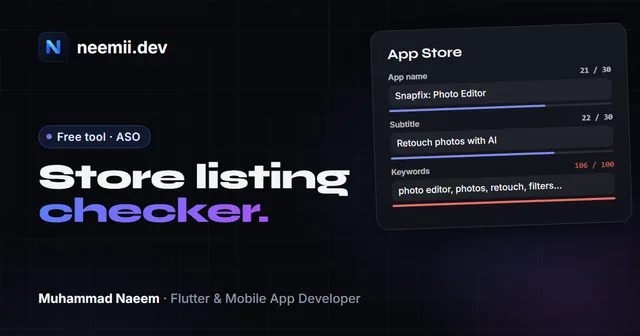
Google asks you to keep extra text out of large-screen screenshots, because it can be cut off on Play homepages, and not to use words like “Best”, “#1” or “Free” in the feature graphic. The store listing checker checks the same rules in your title and descriptions, and the app icon generator makes the 512 px Play icon.
How to capture screenshots at the right size in Flutter
- iOS: run the app on the iPhone 17 Pro simulator, whose screen is 1206 × 2622, and press Cmd + S. The file is already the required 6.3" size. Use iPhone 17 Pro Max for 1320 × 2868 and iPad Pro 13-inch for the iPad set.
- Android: most phone emulators and devices are taller than 9:16 (for example 1080 × 2400). Capture there, then use the resizer above with Fit to keep the whole screen, or Fill to crop the top and bottom.
- Any device: with the app running,
flutter screenshotsaves the connected device’s screen to a PNG in the current folder. - Remove the debug banner first: set
debugShowCheckedModeBanner: falseonMaterialApp, or take the screenshots from a release or profile build.
Questions
What screenshot size does the App Store require in 2026?
For iPhone, at least one screenshot for iPhone with Dynamic Island (medium display), 1206 × 2622 or 1179 × 2556 pixels in portrait. If the app runs on iPad, also at least one 13-inch iPad screenshot, 2064 × 2752 or 2048 × 2732.
Do I still need 6.5-inch or 6.9-inch screenshots?
For large iPhones, App Store Connect uses your 6.9-inch screenshots (1320 × 2868, 1290 × 2796 or 1260 × 2736) if you provide them, and asks for 6.5-inch ones (1284 × 2778 or 1242 × 2688) if you don't. Uploading the 6.9-inch set covers it.
What size should Google Play phone screenshots be?
Between 2 and 8 PNG or JPEG files, up to 8 MB each, with each side between 320 and 3,840 pixels, in 9:16 portrait or 16:9 landscape. 1080 × 1920 is a safe portrait size.
Why does App Store Connect reject my screenshot?
Usually the pixel size isn't one of the accepted sizes for that display, or the PNG has an alpha channel. This resizer exports exact sizes with a solid background, so neither happens.
Are my screenshots uploaded anywhere?
No. Resizing and zipping happen in your browser on your device. Nothing is sent to a server.
Related: how to publish a Flutter app on the App Store and Google Play walks through the whole release, and App Store rejection reasons covers guideline 2.3 problems with screenshots that don’t show the real app.
Need your store listing and release handled end to end? I’m Muhammad Naeem, a Flutter developer with 10+ apps live on the stores. Tell me about your app.