What the policy covers
The generator only adds the sections that match your answers, so a simple offline app gets a short policy and an app with accounts, ads and analytics gets the full set:
- What data the app collects and why, one line per data type, plus which device permissions it asks for.
- Accounts and account deletion: how users delete their account in the app and without it, how long deletion takes and what you keep for legal reasons. The section has its own anchor,
#delete-account, so you can link to it directly. - Third-party services such as Firebase, AdMob, RevenueCat or the OpenAI API, each with a link to its official privacy policy.
- Ads, personalised or not, and how users can opt out on iOS and Android.
- Sharing, retention and security: who gets data, how long you keep it and how you protect it.
- User rights, with separate sections for the EU and UK (GDPR) and California (CCPA) when you need them.
- Children, changes to the policy and contact details.
Privacy policy for apps that use Firebase
Most Flutter and Android apps use at least one Firebase product, and each one processes some user data on its own. Tick the Firebase services your app uses in the generator and the policy names them, says what each does and links to Google’s Firebase privacy page. Here is what each common product processes, from Firebase’s privacy and security page:
| Firebase product | User data it processes | How long Firebase keeps it |
|---|
| Authentication | Email addresses, phone numbers, passwords, IP addresses, user agents | IP logs for a few weeks; the rest until you delete the user, then within 180 days |
| Crashlytics | Crash traces, Crashlytics installation UUIDs, Firebase installation IDs, device model, OS and app version | 90 days |
| Cloud Messaging (FCM) | Firebase installation IDs | Until you delete the ID, then within 180 days |
| Remote Config | Firebase installation IDs | Until you delete the ID, then within 180 days |
| Performance Monitoring | Firebase installation IDs, IP addresses, device and network details | 30 days for IP-linked events, 60 days for the rest |
| Cloud Firestore and Storage | Whatever your app saves there | Until you delete it |
Three things to get right in a Firebase app’s policy:
- You are the controller, Google is the processor. Firebase says Google generally acts as a data processor (GDPR) or service provider (CCPA), and your app is responsible for users’ rights, such as deletion requests.
- Google Analytics for Firebase is a separate service with its own terms. If you use it, list it on its own and tick analytics data and device identifiers in the generator.
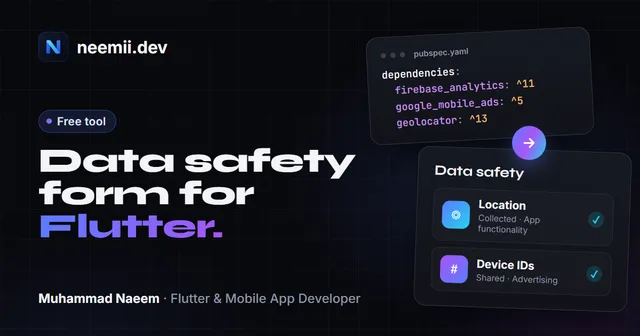
- Match the store forms. If your policy names Crashlytics, your Google Play Data safety form should declare crash logs and device IDs too. The Data safety helper reads your pubspec.yaml and lists what each Firebase package collects.
How to publish it
- Use the hosted link, or host it yourself. The quickest option is the link the generator gives you: a public page on neemii.dev that shows your policy. Your answers are stored inside the link itself, so if you change your app, create a new link. To host it yourself, use your website, a GitHub Pages site or any page builder. Google Play needs a public URL that is not a PDF and does not change based on the visitor’s location. The downloaded .html file works as a page on its own.
- Add the URL to App Store Connect. Put it in the Privacy Policy URL field of your app’s App Privacy section. Apple also expects the link inside the app, for example in Settings or About.
- Add the URL to Google Play Console. Enter it under App content, Privacy policy. If your app has accounts, also add the deletion link (for example
your-policy-url#delete-account) in the Data safety form’s data deletion questions. - Keep it matching your store forms. The policy, Apple’s App Privacy labels and Google’s Data safety form must describe the same data. Reviewers compare them, and a mismatch is a common reason for rejections and policy warnings.
- Update it when the app changes. A new SDK, login method or data type means a new policy version with a new effective date.
What it cannot do
- It is a template, not legal advice, and it does not make your app compliant on its own. The policy has to match what the app and its SDKs really do.
- It does not cover apps for children, health or medical apps, finance apps or other regulated areas in enough detail. Those need a lawyer’s review.
- It does not write your terms of service, cookie banner or consent screens, and it does not fill in the store privacy forms for you.
- It does not know about every law. Laws in other US states, Brazil, India and elsewhere can add their own requirements.
Questions
Do I need a privacy policy if my app collects no data?
Yes. Apple and Google Play both require a privacy policy link for every app, even one that collects no personal data. If you collect nothing, the policy simply says so, which is also useful to your users.
Do I really need account deletion inside the app?
If users can create an account, yes. Apple requires a way to start deletion in the app, and Google Play requires both an in-app path and a web link or email that works without the app. Signing out or deactivating is not enough.
Which data should I tick?
Everything the app collects, including data collected by SDKs. Firebase Analytics, Crashlytics, ad networks and push services all collect device information on their own. Check each SDK’s data disclosure page when you fill in the store forms.
Does an app that uses Firebase need a privacy policy?
Yes. Every app needs one for the stores, and Firebase products such as Authentication, Crashlytics and Cloud Messaging process user data and device identifiers. Your policy should name the Firebase services you use, what they process and link to Google’s privacy information. Tick them in the generator and it writes that part for you.
Do I have to mention Firebase Analytics and Crashlytics separately?
It’s best to. They collect different data: Analytics measures how the app is used, Crashlytics collects crash reports and device details. Listing each one, with what it does, makes the policy match your Data safety form and App Privacy labels.
Is my data sent anywhere?
No. The generator is JavaScript running in this page, and your answers are not saved on any server. The hosted link carries your answers inside the URL itself, compressed, and the policy page rebuilds the policy from it in the visitor’s browser.
Will my policy link keep working?
Yes. The link holds everything needed to show your policy, so it doesn’t depend on an account or a database. When your app changes, create a new link and update it in App Store Connect and Google Play Console.
Related guide: read App privacy policy requirements in 2026 for everything Apple and Google Play check: Data safety, privacy labels, manifests, account deletion and SDKs.
Building an app and want it to pass store review the first time? I’m Muhammad Naeem, a Flutter developer with 10+ apps live on the stores. Tell me about your project.