Store listing limits
| Field | App Store | Google Play |
|---|---|---|
| App name | 2–30 characters | 30 characters |
| Subtitle / short description | Subtitle: 30 characters | Short description: 80 characters |
| Keywords | 100 bytes, comma-separated | No keyword field |
| Promotional text | 170 characters | None |
| Description | 4,000 characters | Full description: 4,000 characters |
| What’s new | 4,000 characters | 500 characters (release notes) |
Sources: App Store Connect Help and Apple’s product page guide, and Google Play Console Help, checked November 2026. The App Store keyword limit is in bytes, not letters, so accented and non-Latin letters take two or three bytes each.
How App Store keywords work
The keyword field is a hidden list of search terms, 100 bytes long. Apple says your app is already searchable by its name and company name, so the keyword field is for everything else people might type. A good keyword field:
- Uses commas without spaces:
retouch,collage,blur. Each space is a byte you lose. - Doesn’t repeat words from the name, subtitle or company name. They’re searchable already.
- Skips plurals of words you already have, category names and the word “app”, as Apple’s guide suggests.
- Leaves out competitor names, trademarks and celebrity names. Apple doesn’t allow them.
Promotional text isn’t used for search, so write it for people: a new feature, an event, a sale. You can change it at any time without a new version.
What Google Play doesn’t allow in your app name
Google Play’s metadata policy applies to the app name, icon and developer name. It rejects:
- Emojis, emoticons and repeated special characters, such as 🔥 or ★★★.
- Ranking or performance claims: “#1”, “Best”, “Top”, “App of the year”, “Popular”.
- Price and promotions: “Free”, “No Ads”, “50% off”, “Sale”.
- Google Play program names, such as “Editor’s Choice” or “New”.
- ALL CAPS, unless your brand is written that way.
In descriptions, Google doesn’t allow claims like “best” or “#1 rated” or comparisons with other apps, and repetitive keywords can lead to suspension. Write the short description as one clear sentence about what the app does, and don’t repeat it in the full description.
A quick listing checklist
- The app name says what the app is, with the most important word first.
- The subtitle (App Store) or short description (Google Play) gives the main benefit in plain words.
- The keyword field is full, with no spaces, no repeats and no words from the name.
- The first three lines of the description explain the app, because that’s what people see before “more”.
- Screenshots show the real app, matching this version.
Getting the listing ready for a first release? How to publish a Flutter app covers every step, and App Store rejection reasons explains what to fix if App Review says no, including guideline 2.3 on accurate metadata.
Questions
How many characters can an App Store keyword field have?
100 bytes. For English letters that’s 100 characters, but accented and non-Latin letters take two or three bytes each. Separate keywords with commas and no spaces.
What is the character limit for a Google Play app name?
30 characters. The short description can be 80 characters and the full description 4,000.
Should I repeat my app name in the App Store keywords?
No. Apple says your app is already searchable by its name and company name, and not to duplicate them in the keyword list. Use those bytes for other words.
Can I use “Free” or an emoji in my Google Play app name?
No. Google Play’s metadata policy doesn’t allow emojis, price or promotional words such as “Free” or “No Ads”, or ranking claims such as “#1” or “Best” in the app name, icon or developer name.
Does promotional text help App Store search?
No. Promotional text isn’t indexed for search. Use it to announce features or events; you can update it without submitting a new version.
Is my listing text sent anywhere?
No. All checks run in your browser, and nothing you type is uploaded.
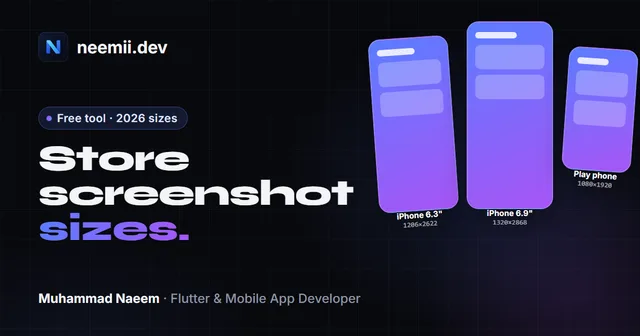
Related tools: the app icon generator makes the 1024 px App Store and 512 px Google Play icons, the screenshot sizes tool resizes your screenshots for both stores, and the Data safety and App Privacy helper fills in the store privacy forms.
Launching an app and want the listing done right? I’m Muhammad Naeem, a Flutter developer with 10+ apps live on the App Store and Google Play. Tell me about your app.