How to use a hex colour in Flutter
Flutter’s Color takes one 32-bit number in 0xAARRGGBB order: two hex digits for alpha (opacity), then red, green and blue. A CSS or Figma colour like #1E88E5 has no alpha, so you put FF (fully opaque) in front:
const primary = Color(0xFF1E88E5);The most common mistake is writing Color(0x1E88E5). Without the FF, the alpha is 00, so the colour is fully transparent and seems not to show at all.
Which constructor should I use?
Color(0xFF1E88E5): the usual choice when you have a hex value from a design file. It can beconst.Color.fromARGB(255, 30, 136, 229): when you have separate red, green and blue numbers, with alpha from 0 to 255.Color.fromRGBO(30, 136, 229, 0.5): the same, but opacity is a decimal from 0.0 to 1.0, like CSSrgba()..withValues(alpha: 0.5): changes the opacity of an existing colour. Since Flutter 3.27 it replaceswithOpacity, which is deprecated.
8-digit hex: AARRGGBB or RRGGBBAA?
Flutter and Android put alpha first (#80FF0000 is half-transparent red). CSS and Figma put itlast (#FF000080). If you paste an 8-digit hex, the converter asks which order it is in, so a Figma colour doesn’t come out with the wrong opacity.
MaterialColor swatches and Material 3
A MaterialColor is a colour with ten shades, from 50 (lightest) to 900 (darkest). Older Material 2 code used it asprimarySwatch. The swatch here mixes your colour with white for the lighter shades and with black for the darker ones. It’s a common approximation, not Google’s exact Material palette, so check the shades against your design.
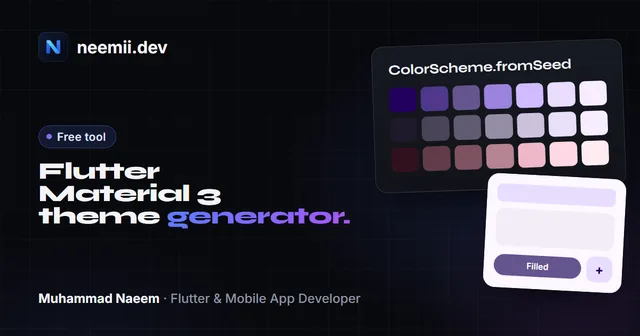
In Material 3, which is Flutter’s default, themes use a ColorScheme instead. Pass your brand colour toColorScheme.fromSeed, or build and preview the whole scheme with the Flutter Material 3 theme generator.
Contrast: is text readable on this colour?
The contrast check uses the WCAG formula. For normal text, aim for at least 4.5:1 (level AA). If white text fails on your brand colour, use black text, or a darker shade for buttons and app bars.
Questions
How do I convert a hex colour to a Flutter Color?
Remove the #, put FF in front for full opacity and write it as a 0x number: #1E88E5 becomes Color(0xFF1E88E5). This converter does it for you and also gives the fromARGB, fromRGBO and withValues versions.
Why is my Flutter colour invisible?
You probably wrote six hex digits, like Color(0x1E88E5). Flutter reads that as alpha 00, which is fully transparent. Add FF in front: Color(0xFF1E88E5).
How do I add opacity to a colour in Flutter?
Change the first two hex digits (80 is about 50%), use Color.fromRGBO with an opacity from 0.0 to 1.0, or call withValues(alpha: 0.5) on an existing colour. withValues replaces withOpacity since Flutter 3.27.
Can I use a hex string directly in Flutter?
Not with a built-in constructor. Color takes an integer, so a string like "#1E88E5" from an API has to be parsed: remove the #, add FF if it has six digits, and use int.parse(value, radix: 16).
Do I still need MaterialColor in Material 3?
Usually not. Material 3 themes are built from a ColorScheme, normally with ColorScheme.fromSeed. MaterialColor is still useful for older code that uses primarySwatch, or when a design gives you a 50–900 shade scale.
Related guide: read Flutter Material 3 theming: ColorScheme.fromSeed explained to turn one brand colour into a full light and dark theme.
Need a Flutter app that matches your brand down to the last shade? I’m Muhammad Naeem, a Flutter developer with 10+ apps live on the stores. Tell me about your project.