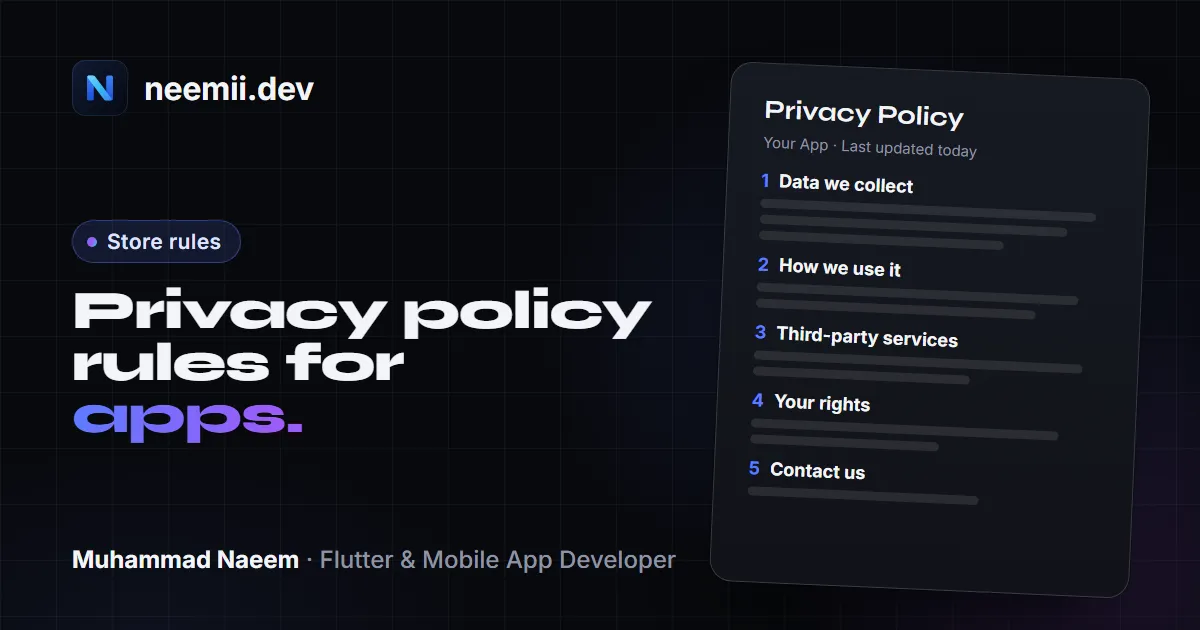
Privacy is one of the most common reasons an app update gets blocked or rejected. Both stores ask for the same basics: a real privacy policy, an honest description of what the app and its SDKs collect, and a working way to delete an account. Apple also wants a privacy manifest in the app bundle. Each requirement below links to its official source.
This is not legal advice. It explains store rules and the basics of privacy law; for your specific app, especially one for children, talk to a lawyer.
1. The privacy policy URL
Both stores require a privacy policy, even if your app collects nothing.
Apple
App Review Guideline 5.1.1(i) says all apps must link their privacy policy in two places: the App Store Connect metadata field, and inside the app “in an easily accessible manner.” The policy must clearly:
- Say what data the app collects, how it collects it, and every use of that data.
- Confirm that any third party you share data with (analytics tools, ad networks, third-party SDKs, parent or related companies) gives the same or equal protection.
- Explain your data retention and deletion policy, and how a user can revoke consent or request deletion.
In App Store Connect, the privacy details page lists the Privacy Policy URL as required and a “Privacy Choices” URL as optional.
Google Play
The User Data policy requires a privacy policy link in the designated field in Play Console, plus a privacy policy link or text inside the app. The policy must:
- Name the developer and give a privacy point of contact.
- List the types of personal and sensitive data the app accesses, collects, uses and shares, and who it is shared with.
- Describe secure handling procedures, and your data retention and deletion policy.
- Be clearly labelled as a privacy policy.
- Live on an active, publicly accessible, non-geofenced URL. No PDFs.
If you do not have a policy yet, the free app privacy policy generator gives you a starting draft with these headings. Edit it to match what your app actually does; a generic policy that doesn’t match the app is what reviewers flag.
2. Google Play Data safety form
The Data safety section is the form in Play Console that produces the “Data safety” panel on your store listing. Key points:
- Everyone fills it in. Every app published on Google Play must complete it, “even developers with apps that do not collect any user data.” Apps that only exist on the internal testing track are exempt.
- “Collect” means data leaves the device. Processing that stays on the device does not count as collection.
- “Sharing” means sending data to a third party. Transfers to a service provider that processes data on your behalf, legal requests, and some user-initiated transfers are exceptions.
- SDKs count as your app. Data collected by third-party libraries in your app must be declared. You are responsible for it, not the SDK vendor.
- Security practices. You state whether data is encrypted in transit and whether users can request deletion.
- Ephemeral processing. Data kept only in memory for a real-time request can be marked ephemeral, but data used to build advertising or user profiles cannot.
Google has required an accurate form for all apps since July 20, 2022. Google says you alone are responsible for your declarations. If they find a mismatch, you must fix it, and apps that stay non-compliant can have updates blocked or be removed.
My own mistake: when I first published my app Chatified on Google Play, it had no privacy policy page and no account deletion option. Play Console sent me a series of policy warnings and emails about both. I added a hosted privacy policy, an in-app account deletion flow and a web deletion link, and updated the store forms to match. After that the app moved to early access and then went live. Now I add both before the first submission, not after the warnings. (The rest of the release process is in publishing a Flutter app on the App Store and Google Play.)
3. Apple App Privacy labels
The App Store “nutrition label” is built from your answers in App Store Connect. Apple’s App privacy details page sets the rules:
- You must answer for your own code and for “third-party partners,” meaning analytics tools, ad networks, SDKs or other vendors whose code is in your app.
- “Collect” means sending data off the device in a way that lets you or a partner access it for longer than needed to serve the request in real time.
- Some data is optional to disclose, but only if it meets all of Apple’s criteria (not used for tracking or advertising, collected only rarely, optional for the user, and clearly provided by them each time). Most apps should just disclose.
- For each data type you also say whether it is linked to the user and whether it is used for tracking.
- You can update answers any time without a new build, and must when your practices change.
4. Apple privacy manifests (PrivacyInfo.xcprivacy)
A privacy manifest is a property list file named PrivacyInfo.xcprivacy that ships inside your app or SDK. It has four top-level keys:
NSPrivacyTracking: whether the app or SDK uses data for tracking as defined by ATT.NSPrivacyTrackingDomains: domains used for tracking. If the user has not allowed tracking, network requests to these domains fail.NSPrivacyCollectedDataTypes: the data types collected.NSPrivacyAccessedAPITypes: the “required reason” APIs used, with an approved reason code for each.
Required reason APIs
Some system APIs can be misused for fingerprinting, so Apple asks you to declare why you use them. Categories include user defaults, file timestamps, system boot time, disk space and active keyboards. You pick one or more approved reason codes per category, and you may only use the API for those reasons. Fingerprinting is not allowed even if the user grants tracking permission.
Each executable or framework that calls these APIs needs its own manifest. An SDK cannot rely on the app’s manifest to cover it.
Dates that matter
- Apple announced the SDK and required reason rules on December 7, 2023.
- Since May 1, 2024, Apple’s documentation states that apps that don’t describe their use of required reason APIs in their privacy manifest “aren’t accepted by App Store Connect.” A reminder from April 26, 2024 adds that a newly added SDK from Apple’s list of commonly used third-party SDKs needs its privacy manifest, and a valid signature if it is a binary dependency.
That list includes Flutter itself, many Firebase modules (such as FirebaseCore, FirebaseAuth, FirebaseCrashlytics, FirebaseMessaging), GoogleSignIn, and several popular Flutter plugins.
5. Account deletion on both stores
Apple
Guideline 5.1.1(v): if your app supports account creation, you must offer account deletion within the app. This has been enforced since June 30, 2022. Apple’s account deletion guidance adds:
- Make the option easy to find, usually in account settings.
- Delete the entire account record and associated personal data. Only offering to deactivate or disable the account is not enough.
- If the user has to finish on a website, link directly to that page.
- Apps outside highly regulated industries should not make people call, email or go through support to delete.
- If you use Sign in with Apple, revoke the user’s tokens with the Sign in with Apple REST API.
Google Play
Google’s account deletion requirement applies to apps that let users create an account. You must:
- Provide an in-app path to delete the account and its data.
- Provide a web link where users can request deletion without reinstalling the app, and enter it in the Data safety form.
- Delete the user data tied to that account. Deactivating or freezing the account does not count, per the User Data policy.
- If you keep some data for security, fraud prevention or legal reasons, say so in your privacy policy.
The deadline to complete these questions was December 7, 2023, with extensions available to May 31, 2024.
6. App Tracking Transparency (ATT)
Apple defines tracking as linking user or device data from your app with data from other companies’ apps, websites or offline properties for targeted ads or ad measurement, or sharing it with data brokers.
- On iOS 14.5 and later, you need permission through the ATT framework to track a user or to read the advertising identifier (IDFA). Without it, the IDFA is all zeros.
- The prompt needs a purpose string (
NSUserTrackingUsageDescriptionin Info.plist) that explains what the data is used for. - An SDK that combines your users’ data with other developers’ data for ads counts as tracking, even if you don’t use it for that.
- Guideline 5.1.2(i) says you cannot require users to allow tracking to use the app or reward them for allowing it.
If your app shows personalised ads (for example with AdMob), you will usually need the ATT prompt, NSPrivacyTracking set to true in the manifest, and “used for tracking” answers in your privacy label. Make sure all three agree.
7. Third-party SDK disclosures
Both stores make you responsible for what your SDKs do. Apple’s guidelines say this directly in the introduction, and Google says the same in the Data safety rules. In practice:
- Firebase: Google’s Data safety guide for Firebase lists what each product collects. Crashlytics, for example, collects crash stack traces, device metadata and an installation UUID. Firebase also says you are “solely responsible” for your form answers. Custom logs and user IDs you attach yourself also need to be declared.
- AdMob: Google publishes a Play data disclosure guide for the Google Mobile Ads SDK, which collects data such as IP address, user interactions, diagnostics and device identifiers.
- Everything else: Find each vendor’s disclosure page and carry its data types into your form, label and policy.
Firebase apps in detail. Firebase’s privacy and security page lists what each product processes and for how long. A few examples:
- Authentication processes email addresses, phone numbers, passwords, IP addresses and user agents. It keeps IP logs for a few weeks and the rest until you delete the user.
- Crashlytics keeps crash traces and their identifiers for 90 days.
- Cloud Messaging and Remote Config use Firebase installation IDs, which are kept until you delete them.
- Google Analytics for Firebase is a separate service with its own terms, so list it on its own.
Google generally acts as a data processor for Firebase, while your app is the controller, so handling users’ privacy requests is your job. The privacy policy generator has each Firebase product as a checkbox and writes these lines for you, and the Data safety helper turns your pubspec.yaml into the matching form answers.
8. Apps for children
This is the area with the highest legal risk, so keep this section as a map, not a rulebook, and get a legal review.
- Apple: Guidelines 1.3 and 5.1.4 say Kids Category apps should not include third-party analytics or advertising, except in limited cases, and may not send personal or device information to third parties. Links out and purchases must sit behind a parental gate.
- Google Play: The Families policy requires you to declare your target audience. Apps that only target children must not transmit the Android advertising ID or use SDKs that are not approved for child-directed services. Ads shown to children must come from Families Self-Certified Ads SDKs and must not be interest-based.
- COPPA (US): The FTC’s COPPA FAQ explains that the rule covers apps directed to children under 13, or apps that know they collect data from them, and generally requires verifiable parental consent. Persistent identifiers such as device IDs count as personal information. The rule was amended on April 22, 2025.
9. GDPR and CCPA basics for apps
These are laws, not store rules, and they can apply even if you are not based in the EU or California.
- GDPR (EU): Per gdpr.eu, it applies to organisations anywhere that target or collect data related to people in the EU. You need a lawful basis for each kind of processing (such as consent, contract or legitimate interests) and must support rights like access, rectification, erasure and portability. Top-tier fines reach €20 million or 4% of worldwide annual turnover, whichever is higher.
- CCPA (California): The California Privacy Protection Agency’s FAQ says it covers businesses in California that meet one threshold: $26.625 million or more in annual gross revenue (from January 1, 2025), buying, selling or sharing personal information of 100,000 or more California residents or households, or earning 50% or more of revenue from selling or sharing it. Users can know, delete, correct, opt out of sale or sharing, and limit use of sensitive data.
Many small apps fall below the CCPA thresholds, but the store rules apply to every app.
10. Flutter: how plugins ship privacy manifests
Flutter apps are not exempt from Apple’s manifest rules, but most of the work is done by the framework and plugins:
- The Flutter engine has included its own
PrivacyInfo.xcprivacyinFlutter.frameworksince a December 2023 change, declaring its file timestamp and system boot time API use. - Plugins carry their own manifests. The Flutter plugin guide tells plugin authors to describe their privacy impact in
PrivacyInfo.xcprivacyand include it as a resource inPackage.swift(Swift Package Manager) or throughresource_bundlesin the podspec (CocoaPods). - Your own native code in
ios/Runneris your responsibility. If it calls a required reason API, add a manifest to the Runner target in Xcode (File > New File > App Privacy).
What to check before you submit:
- Run
flutter pub outdatedand update plugins. Older plugin versions may predate their manifests. - For each plugin with iOS code, check its repository or pub.dev source for a
PrivacyInfo.xcprivacyfile and the matching podspec orPackage.swiftentry. - Read any App Store Connect emails after upload. Apple emails you when a required reason is missing.
- Don’t copy a big “catch-all” manifest from a blog post. Declare only APIs and reasons your code actually uses.
- Make sure the data types in the manifests, your App Store privacy label and your privacy policy all agree.
Pre-submission checklist
- Privacy policy on a public HTML page (not a PDF), linked in App Store Connect, Play Console and inside the app.
- Policy names you, gives a contact, lists data types, third parties, retention and deletion.
- Data safety form complete and matches the policy, including every SDK.
- App Store privacy label complete, with “linked” and “tracking” answers checked.
- Privacy manifests present for the app and all SDKs; no missing-reason emails.
- In-app account deletion, plus a web deletion link for Google Play.
- ATT prompt and purpose string, if you track.
- Target audience declared on Google Play; legal review if children may use the app.
- GDPR and CCPA rights covered in the policy if you have EU or California users.
My pre-submission check for client apps:
- Read the app’s full documentation, then confirm QA is done and every module works as described.
- Make sure the privacy policy and terms of service are clear from the user’s point of view and match store policies.
- Check that every permission the app requests and every piece of data it collects is listed in the policy, with the reason.
- Test account and data deletion end to end, and confirm no user data is left behind.
- Make sure users can open the privacy policy and terms, and delete their account and data, at any time from inside the app.
Need help getting through review?
I build Flutter apps for iOS and Android and handle store submission, including privacy forms, labels and manifests. If your app is stuck in review or you want it set up right the first time, get in touch.
Need a Flutter app built? Tell me about your project, or see case studies of apps I’ve worked on.