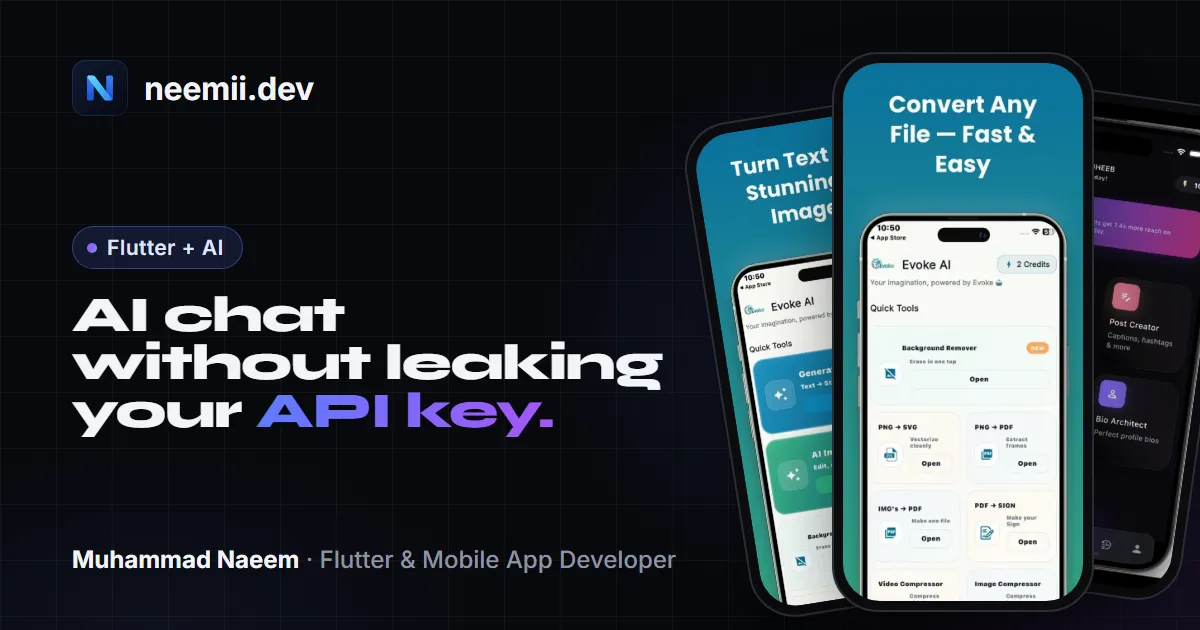
Adding an AI chat screen to a Flutter app looks like a one-afternoon job. You grab an API key from OpenAI or Google, call the chat endpoint with package:http, and print the reply. It works on your phone, so you ship it.
Then someone pulls the key out of your app and runs their own traffic on your account. You find out from the bill.
This post shows the setup I’d use instead: the key lives on a small server you control, the app talks to that server with the signed-in user’s token, and the server handles rate limits, the model choice and the cost caps. The reply still streams into the chat UI word by word. All the Dart code below (the proxy and the client) was run locally against a fake upstream server, so it does what it says.
Why an API key inside your app is not secret
Anything you put in an app binary goes to every person who installs it. An APK or IPA is an archive. People unzip it, run strings over the compiled Dart code, or put a proxy like mitmproxy between the phone and the internet and read the Authorization header as it goes past. A long string that starts with sk- is not hard to spot.
The usual “fixes” don’t change this:
.envfiles withflutter_dotenv. The.envfile is bundled as an asset. It’s sitting in the app package as plain text.--dart-defineor--dart-define-from-file. These keep the key out of your Git repo, which is good, but the value is compiled into the app. It’s still in the binary.- Obfuscation. Flutter’s own docs say obfuscation “only renames symbols” and does not protect against reverse engineering, and that storing secrets in an app is “a poor security practice” (Flutter docs).
- Splitting or encrypting the key. The app has to rebuild the real key to use it, so the code to rebuild it ships too. And once the key is in memory, it shows up in the network request anyway.
So the rule is simple: if a request carries your provider key, that request must come from a server, not from the phone.
The backend proxy pattern
The app never talks to OpenAI or Gemini directly. It talks to your endpoint:
Flutter app  --(user's auth token)-->  your /chat endpoint  --(API key)-->  LLM provider
             <--(streamed text)-------                      <--(SSE)-------
Your endpoint can be a tiny Dart server on Cloud Run or a VPS, a Firebase Cloud Function, a Supabase Edge Function, or anything else that can hold an environment variable and make an HTTPS request. It does five jobs:
- Holds the key in an environment variable or secret manager. It never leaves the server.
- Checks who is calling. The app sends the user’s auth token (a Firebase ID token, a Supabase JWT, your own session token). No valid user, no AI call.
- Limits each user. A per-user rate limit and, ideally, a daily or monthly quota.
- Decides the request. Model, system prompt and maximum reply length are set on the server. The app only sends the conversation.
- Streams the reply back so the UI can show text as it arrives.
Point 4 is easy to undervalue. If the model name is hard-coded in your app, changing it means a store release and waiting for users to update. If it’s an environment variable on the server, you can switch from one OpenAI model to a cheaper one, or to Gemini, in a minute. Google even offers an OpenAI-compatible endpoint for Gemini at https://generativelanguage.googleapis.com/v1beta/openai/ (Gemini docs), so the same proxy code can talk to either provider by changing the base URL, key and model name.
How I do it in my own apps: none of my AI apps ship an API key. Evoke AI and Hashtag AI Expert call my own backend on a Contabo server, and Inlinker, a client company’s app, runs its backend on DigitalOcean. The apps only talk to that backend, and the backend holds the keys and calls the AI providers. Keys never go into the app code or a GitHub repository. Around that I use Firebase and Supabase for app data and auth, Firebase Cloud Messaging for notifications, and Crashlytics to catch crashes in the live apps.
A minimal Dart proxy
Here is a complete proxy using only dart:io and package:http. It speaks the OpenAI Chat Completions format: POST {base}/chat/completions with model, messages and "stream": true, and a server-sent events (SSE) stream back where each data: line holds a chunk with the new text in choices[0].delta.content, ending with data: [DONE] (OpenAI API reference).
import 'dart:async';
import 'dart:convert';
import 'dart:io';

import 'package:http/http.dart' as http;

// Everything provider-specific lives here, on the server.
final apiKey = Platform.environment['LLM_API_KEY'] ?? '';
final baseUrl =
    Platform.environment['LLM_BASE_URL'] ?? 'https://api.openai.com/v1';
final model = Platform.environment['LLM_MODEL'] ?? '';
const systemPrompt =
    'You are a helpful assistant inside a mobile app. '
    'Keep answers short.';

// Simple per-user limit: 20 requests per 10 minutes.
const maxRequests = 20;
const window = Duration(minutes: 10);
final _hits = <String, List<DateTime>>{};

final _upstream = http.Client();

Future<void> main() async {
  if (apiKey.isEmpty || model.isEmpty) {
    stderr.writeln('Set LLM_API_KEY and LLM_MODEL.');
    exit(1);
  }
  final port = int.parse(Platform.environment['PORT'] ?? '8080');
  final server = await HttpServer.bind(InternetAddress.anyIPv4, port);
  print('Proxy listening on port ${server.port}');
  await for (final request in server) {
    unawaited(_handle(request));
  }
}

Future<void> _handle(HttpRequest req) async {
  final res = req.response;
  try {
    if (req.method != 'POST' || req.uri.path != '/chat') {
      return _fail(res, HttpStatus.notFound, 'not found');
    }

    // 1. Who is calling? Never trust a user id sent in the body.
    final auth = req.headers.value(HttpHeaders.authorizationHeader) ?? '';
    final userId = auth.startsWith('Bearer ')
        ? await verifyToken(auth.substring(7))
        : null;
    if (userId == null) {
      return _fail(res, HttpStatus.unauthorized, 'sign in first');
    }

    // 2. Per-user rate limit.
    if (!_allow(userId)) {
      res.headers.set('Retry-After', '60');
      return _fail(res, HttpStatus.tooManyRequests, 'slow down');
    }

    // 3. Validate input: only user/assistant turns, capped size.
    final body = jsonDecode(await utf8.decodeStream(req)) as Map;
    final history = (body['messages'] as List)
        .cast<Map>()
        .where((m) => m['role'] == 'user' || m['role'] == 'assistant')
        .map((m) => {'role': m['role'], 'content': '${m['content']}'})
        .toList();
    final recent = history.length > 20
        ? history.sublist(history.length - 20)
        : history;
    if (recent.isEmpty || recent.any((m) => m['content']!.length > 4000)) {
      return _fail(res, HttpStatus.badRequest, 'bad messages');
    }

    // 4. Forward to the provider. Model, system prompt and token cap
    //    are chosen here, not in the app.
    final upstreamReq =
        http.Request('POST', Uri.parse('$baseUrl/chat/completions'))
          ..headers['Authorization'] = 'Bearer $apiKey'
          ..headers['Content-Type'] = 'application/json'
          ..body = jsonEncode({
            'model': model,
            'stream': true,
            'max_completion_tokens': 500,
            'safety_identifier': userId, // OpenAI field; check your provider
            'messages': [
              {'role': 'system', 'content': systemPrompt},
              ...recent,
            ],
          });
    final upstream = await _upstream.send(upstreamReq);
    if (upstream.statusCode != 200) {
      stderr.writeln(
        'upstream ${upstream.statusCode}: '
        '${await upstream.stream.bytesToString()}',
      );
      return _fail(res, HttpStatus.badGateway, 'AI service unavailable');
    }

    // 5. Read the provider's SSE stream and send plain text deltas on.
    res.headers.contentType = ContentType('text', 'plain', charset: 'utf-8');
    res.bufferOutput = false;
    final lines = upstream.stream
        .transform(utf8.decoder)
        .transform(const LineSplitter());
    await for (final line in lines) {
      if (!line.startsWith('data: ')) continue;
      final data = line.substring(6);
      if (data == '[DONE]') break;
      final chunk = jsonDecode(data) as Map<String, dynamic>;
      final choices = chunk['choices'] as List;
      if (choices.isEmpty) continue;
      final text = choices[0]['delta']?['content'];
      if (text is String && text.isNotEmpty) {
        res.write(text);
        await res.flush();
      }
    }
    await res.close();
  } catch (e) {
    stderr.writeln('error: $e');
    try {
      await _fail(res, HttpStatus.internalServerError, 'server error');
    } catch (_) {
      // Headers already sent; the client sees a cut-off stream.
      await res.close();
    }
  }
}

/// Placeholder. In a real app, verify a Firebase ID token, Supabase JWT
/// or your own session token here and return the user's id.
Future<String?> verifyToken(String token) async {
  const demoUsers = {'demo-token-alice': 'alice', 'demo-token-bob': 'bob'};
  return demoUsers[token];
}

bool _allow(String userId) {
  final now = DateTime.now();
  final hits = _hits.putIfAbsent(userId, () => [])
    ..removeWhere((t) => now.difference(t) > window);
  if (hits.length >= maxRequests) return false;
  hits.add(now);
  return true;
}

Future<void> _fail(HttpResponse res, int status, String message) async {
  res.statusCode = status;
  res.headers.contentType = ContentType.json;
  res.write(jsonEncode({'error': message}));
  await res.close();
}
Run it with the key in the environment, never in a file you commit:
LLM_API_KEY=... LLM_MODEL=your-model-name dart run bin/proxy.dartA few choices in there are deliberate:
- The app can’t send a system message. The server drops any role other than
userandassistantand adds its own system prompt. Otherwise anyone can turn your “recipe helper” into a free general-purpose chatbot. - History and message size are capped. Chat APIs bill for input tokens too, and the whole conversation is sent on every turn. Sending only the last 20 turns and refusing huge messages keeps each request’s cost bounded.
- The reply length is capped with
max_completion_tokens. OpenAI now uses this name; the oldermax_tokensis deprecated. Parameter names differ between providers and their OpenAI-compatible layers, so check the docs for the one you use. - The proxy turns SSE into plain text. The app receives raw text chunks, not the provider’s event format. If you later switch to a provider with a different streaming format, only the server changes.
- Provider errors stay on the server. The app gets a generic 502, and the real error goes to your logs.
The in-memory rate limiter is fine for a single server instance and for learning. With more than one instance, or serverless functions that start fresh, the counter has to live somewhere shared: Redis, Firestore, or a database row per user per day. For verifyToken, use the official verification for your auth system, for example the Firebase Admin SDK’s ID token check, or verifying a Supabase JWT with your project’s key.
The client: consuming the stream in Dart
This function is plain Dart with package:http, so it runs unchanged in a Flutter app:
import 'dart:convert';

import 'package:http/http.dart' as http;

class ChatException implements Exception {
  ChatException(this.statusCode, this.message);
  final int statusCode;
  final String message;
  @override
  String toString() => 'ChatException($statusCode): $message';
}

/// Sends the conversation to your backend and yields the reply as it
/// streams in. The app never sees a provider API key.
Stream<String> streamChat({
  required http.Client client,
  required Uri endpoint,
  required String userToken,
  required List<Map<String, String>> messages,
}) async* {
  final request = http.Request('POST', endpoint)
    ..headers['Authorization'] = 'Bearer $userToken'
    ..headers['Content-Type'] = 'application/json'
    ..body = jsonEncode({'messages': messages});

  final response = await client.send(request);
  if (response.statusCode != 200) {
    final body = await response.stream.bytesToString();
    throw ChatException(response.statusCode, body);
  }
  yield* response.stream.transform(utf8.decoder);
}
The important part is client.send instead of http.post. http.post waits for the whole body. send gives you a StreamedResponse, and you get the bytes as they arrive. utf8.decoder as a stream transformer also handles a multi-byte character (an emoji, an Urdu letter, an accented “é”) that is split across two network chunks.
How I tested it
I ran both pieces against a fake upstream server that checks the API key header, records the request, and sends back an OpenAI-style SSE stream in 7-byte pieces, so that both SSE lines and UTF-8 characters get split mid-way. The proxy ran as a separate process with a dummy key in its environment. The checks that passed:
- The full reply arrived, correctly decoded, in more than one chunk.
- The upstream request had the server’s model,
"stream": true, and onlysystem,userroles (the client’s injected system message was dropped). - The user id sent upstream came from the token, not the request body.
- A made-up token got
401. - One user got 20 replies, then
429. A second user was not affected.
dart analyze reported no issues. No real API key was used and nothing was sent to OpenAI.
The chat UI state in Flutter
The UI needs a list of messages, a flag for “a reply is streaming”, and a way to grow the last assistant message as chunks arrive. A ChangeNotifier is enough. This code is illustrative: I haven’t compiled it here, but it uses only standard Flutter APIs and the streamChat function above.
class ChatController extends ChangeNotifier {
  ChatController(this._client, this._endpoint, this._token);
  final http.Client _client;
  final Uri _endpoint;
  final Future<String> Function() _token; // e.g. user.getIdToken()

  final messages = <Map<String, String>>[];
  bool streaming = false;
  String? error;

  Future<void> send(String text) async {
    if (streaming || text.trim().isEmpty) return;
    messages.add({'role': 'user', 'content': text.trim()});
    messages.add({'role': 'assistant', 'content': ''});
    streaming = true;
    error = null;
    notifyListeners();

    try {
      final history = messages.sublist(0, messages.length - 1);
      await for (final piece in streamChat(
        client: _client,
        endpoint: _endpoint,
        userToken: await _token(),
        messages: history,
      )) {
        messages.last['content'] = messages.last['content']! + piece;
        notifyListeners();
      }
    } on ChatException catch (e) {
      messages.removeLast();
      error = e.statusCode == 429
          ? 'You are sending messages too fast. Try again in a minute.'
          : 'Could not get a reply. Please try again.';
    } finally {
      streaming = false;
      notifyListeners();
    }
  }
}
In the widget, wrap a ListView.builder in a ListenableBuilder(listenable: controller, ...), disable the send button while controller.streaming is true, and show controller.error in a SnackBar or under the input field. If you already use Riverpod or Bloc, the same state fits in a notifier or cubit. Two small things that matter in practice: scroll to the bottom as text grows, and handle a 429 with a clear message instead of a generic error, because a user who hits the limit should know why.
Costs and abuse: limits worth setting
Your proxy is now a public endpoint that spends money. Treat it that way:
- Require sign-in for AI features. Anonymous access makes per-user limits meaningless, because a new “user” costs nothing.
- Rate limit per user (requests per minute) to stop scripts, and quota per user (messages or tokens per day or month) to cap what one account can cost you. Tie the quota to the plan: free users get a small daily number, paying users more.
- Cap tokens on every request: input (history length, message size) and output (
max_completion_tokens). - Set a budget alert and a hard spending limit in your provider’s billing settings. This is your last line of defence if everything else fails.
- Log usage per user. The streaming response can include token usage at the end if you ask for it (
stream_options: {"include_usage": true}in OpenAI’s API). Store it so you can see who costs what. - Pick the model on purpose. A smaller model is often good enough for chat inside an app, and costs a fraction of the largest one. Because the model is a server setting, you can test this without a release.
- Add App Check or Play Integrity / App Attest if you want to block requests that don’t come from your real app. It raises the bar for scripts that copy a user’s token.
What I did in Evoke AI: every new account gets a small free quota of 5 AI prompts. After that, users either buy credits or watch an ad for each prompt. The backend enforces the quota, not the app, so a modified app can’t skip it. Because every prompt is either paid for or covered by an ad, AI costs grow with revenue instead of with free usage.
The managed alternative: Firebase AI Logic
If you’d rather not run a server, Firebase AI Logic (the firebase_ai Flutter package, formerly Vertex AI in Firebase) lets the app call Gemini models through Firebase, without a Gemini API key in the app. Firebase acts as the gateway, and Firebase App Check verifies that requests come from your genuine app before they’re forwarded (App Check for Firebase AI Logic). Firebase’s docs say App Check enforcement is required starting November 2, 2026, and support limited-use tokens with replay protection for tighter security. There is also a per-user rate limit, 100 requests per minute per user by default (Firebase AI Logic quotas).
The trade-offs, honestly:
- Good: no server to deploy, real attestation of the app, official Flutter SDK with streaming.
- Less good: you’re tied to Google’s models through this route, the system prompt and model name usually live in app code (Firebase Remote Config helps here), and the built-in per-user limit is one value for all users. Per-plan quotas, like “free users get 10 messages a day”, still need your own logic.
For a prototype or an app that only needs Gemini, Firebase AI Logic is a sensible choice. For multiple providers, paid plans with quotas, or a system prompt you want to keep off the device, a small proxy gives you more control.
Summary
- An API key in a Flutter app is public.
.env,--dart-defineand obfuscation don’t change that. - Put the key on a server. The app sends the user’s auth token and the conversation, nothing else.
- Choose the model, system prompt and token limits on the server, so you can change them without a release.
- Stream the reply with
client.sendandutf8.decoder, and grow the last message in your chat state. - Rate limit per user, set daily quotas, cap tokens, and set a billing alert.
If you’re planning an AI feature for your app and want it built this way from the start, see my AI app development service. I’m Muhammad Naeem, a Flutter developer in Lahore, and I’ve shipped AI apps that use OpenAI, Gemini and Claude. Tell me about your app and I’ll reply with how I’d set it up and what it would cost.
Need a Flutter app built? Tell me about your project, or see case studies of apps I’ve worked on.